
Reading a Rental Listing When Mobility Is a Factor
Rental listings rarely tell the full story. Learn how to decode descriptions, photos, and floor plans to spot accessibility gaps before you book.
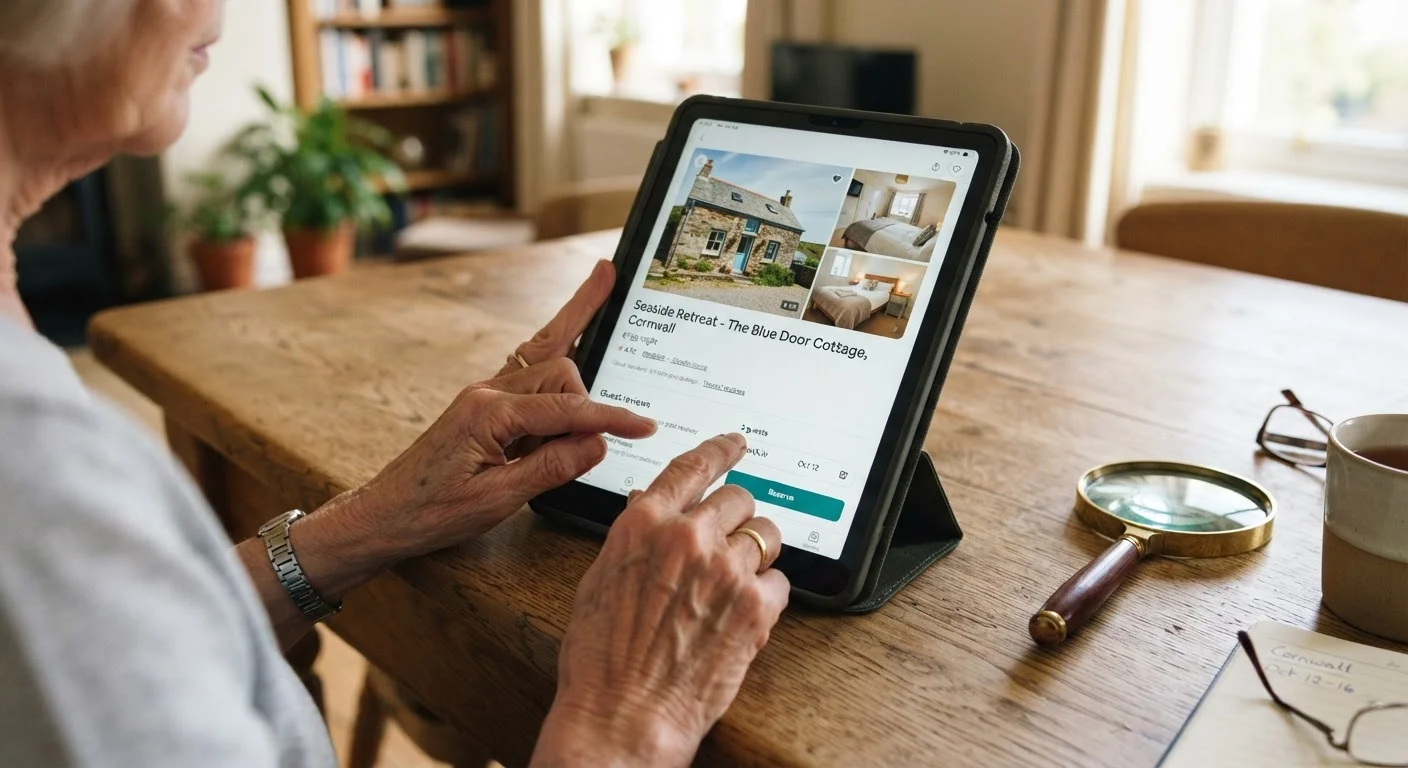
Photo: MyUrbanEscapes.net | Small Escapes. Big Experiences. editorial
—— In This Article
Key Takeaways
- Listing descriptions often omit critical mobility details — always read between the lines.
- Photos can reveal step counts, bathroom layouts, and furniture density if you know what to look for.
- Floor plans, when available, help estimate doorway widths and room flow before booking.
- Specific questions to the host fill gaps that no listing description fully covers.
- Guest reviews frequently contain honest accessibility observations that hosts don't advertise.
- Confirming accessibility details before booking prevents costly and stressful surprises on arrival.
Why Listings Fall Short for Mobility Needs
Most vacation rental listings are written to sell an experience — ocean views, cozy interiors, proximity to attractions. Accessibility is rarely the headline. Terms like "cozy" can mean tight corridors, "rustic charm" may signal uneven flooring, and "easy beach access" says nothing about the path to get there.
Understanding how to decode listings is a skill every traveler with mobility considerations should develop. For a fuller picture of which specific features matter most, see our guide on accessibility features every senior should look for in a vacation rental.
The steps below walk you through a reliable review process — from the first line of description to the final question you send a host.
What you will need
How to Read a Listing for Accessibility
Follow these steps each time you evaluate a rental property. Taking notes as you go helps you compare multiple listings side by side.
Scan the Description for Accessibility Language
Read the full listing description once for general context, then re-read specifically for mobility-relevant words. Note any mention of stairs, elevators, step-free entry, or floor level. Also flag vague terms — "garden-level," "split-level," or "loft bedroom" — that often signal level changes requiring negotiation.
Pay attention to what is absent. A listing that devotes three paragraphs to kitchen appliances but says nothing about the bathroom layout may simply not have been written with accessibility in mind — not because the property is inaccessible, but because the host hasn't considered it.
Examine Every Photo With a Critical Eye
Photos are evidence, not decoration. Scroll through the full gallery looking for: entrance steps or ramps, bathroom grab bars or lack thereof, shower type (walk-in, tub/shower combo, or step-in), furniture density that could restrict walker or wheelchair movement, and flooring transitions between rooms.
Count steps in any photo where they appear. Notice whether doorways look wide enough for your needs. A bathroom photo showing only the vanity and mirror may be deliberately omitting the toilet and shower area — a gap worth asking about. For a deeper method, our companion piece on reading rental photos like an accessibility detective walks through photo analysis in detail.
Review the Floor Plan if Available
Some listings include a floor plan or layout diagram. If present, use it to estimate traffic flow between the bedroom, bathroom, and main living areas. Look for narrow hallways, rooms accessible only through another room, or bathrooms located on a different level from the bedroom. A floor plan won't give you precise measurements, but it reveals overall layout logic — including whether the property is truly single-level.
Check the Property's Floor Level and Building Access
Identify whether the unit is on the ground floor or an upper floor, and whether elevator access is confirmed (not just implied). A listing may state "second floor" without clarifying whether an elevator is available or whether stairs are the only option. For a structured way to think through this decision, see our article on ground-floor vs. upper-floor rental units.
Contact the Host With Specific Questions
After your listing review, write down any unresolved questions and send them to the host before booking. Be specific rather than general: instead of asking "Is the property accessible?" ask "How many steps are between the parking area and the front door?" or "Does the shower have a curb or is it roll-in?"
Hosts who respond promptly and precisely are a good sign. Vague or dismissive answers to direct questions are worth taking seriously. Our guide on accessibility questions worth asking every rental host provides a ready-made list. For a broader view of what listings routinely omit, see what rental listings don't always tell you.
Filling the Gaps Listings Leave Behind
Even after a thorough listing review, important information often remains unclear. Guest reviews are one of the most reliable secondary sources — look for mentions of stairs, bathrooms, parking distance, and overall ease of getting around. A pattern of comments from guests of any age noting "lots of steps" or "tight spaces" is a meaningful signal. Our article on reading rental reviews critically explains what to look for beyond star ratings.
Listings described as "no steps" deserve special scrutiny. That phrase may refer only to the main entrance while interior level changes, a sunken living room, or a raised shower threshold go unmentioned. See why "no steps" listings don't always mean what you think for a closer look at this common source of confusion.
Sort Reviews by Most Recent
Rental properties change over time — renovations can add or remove accessibility features. Filtering guest reviews to show the most recent entries gives you the most accurate picture of current conditions. Look for reviews posted within the past six to twelve months when assessing mobility-relevant details.
If a rental falls just short of your needs, portable aids can bridge the gap. Portable accessibility aids such as non-slip bath mats, bed rails, and foldable grab bars are practical additions worth considering. Once you've completed your listing review, use our accessibility features checklist to confirm everything before booking.
Don't Rely Solely on the "Accessibility" Filter
Many platforms allow hosts to self-report accessibility features without independent verification. A property tagged as "wheelchair accessible" may not meet your specific needs. Always confirm individual features directly with the host rather than trusting a platform filter alone.

Vacation Rentals Editorial Team
Vacation Rentals Editorial Team is the collective byline for our editorial team and contributor network. Articles published under this byline or an editorial pen name are researched, written, and reviewed according to our editorial standards for clarity, consistency, and independence before publication.
View author profile